
Putting on Your BioSleeve
Go through these steps every time you use your BioSleeve to ensure maximum sensor accuracy.
Putting on your Arm BioSleeve
1. Sit down on a chair next to a table.

2. Lay the sleeve next to you with the straps lying flat on the table.
3. Place your arm through the open sleeve facing up, and gently pressing your arm into the table, secure the strap closest to your wrist.
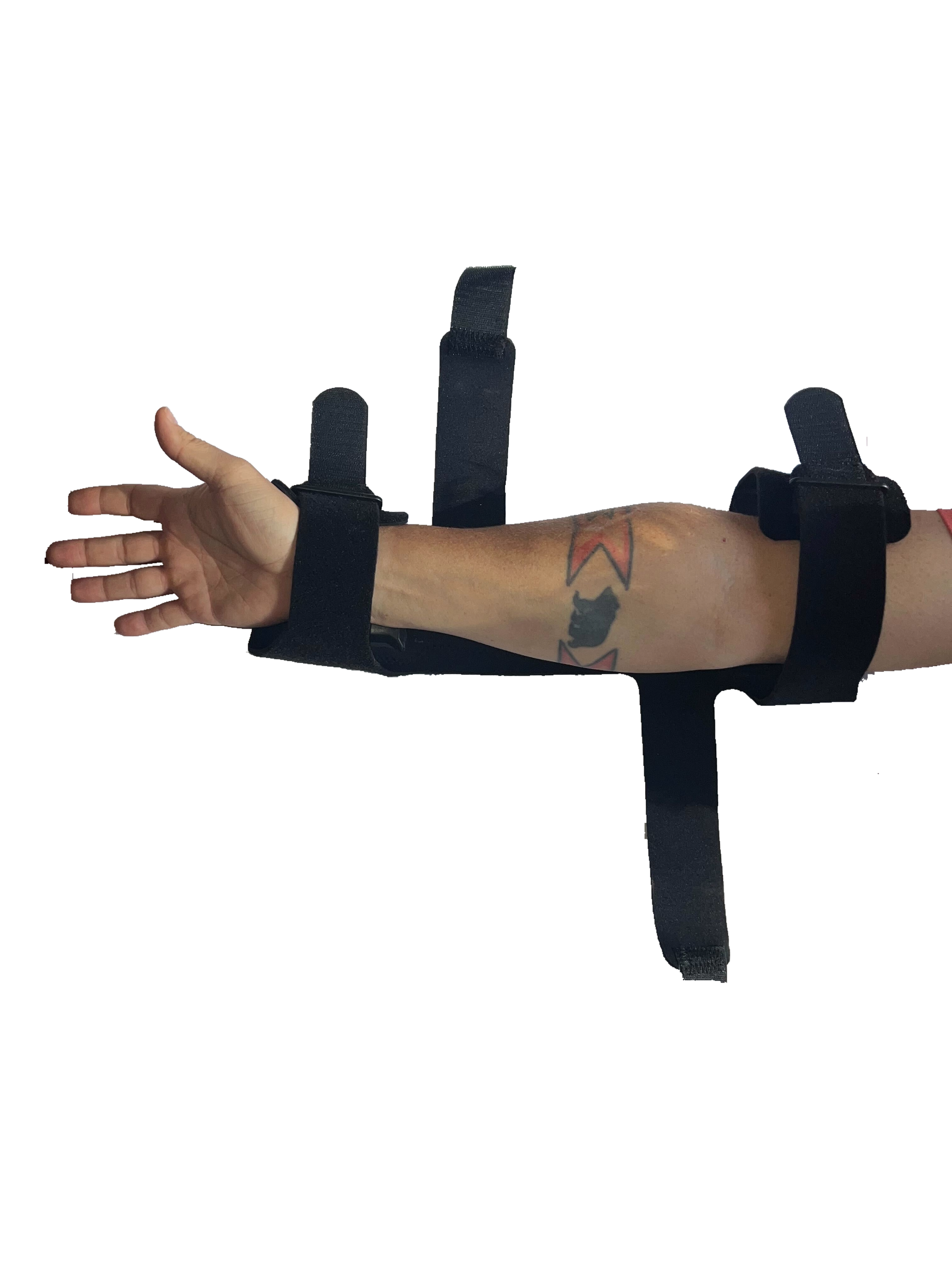
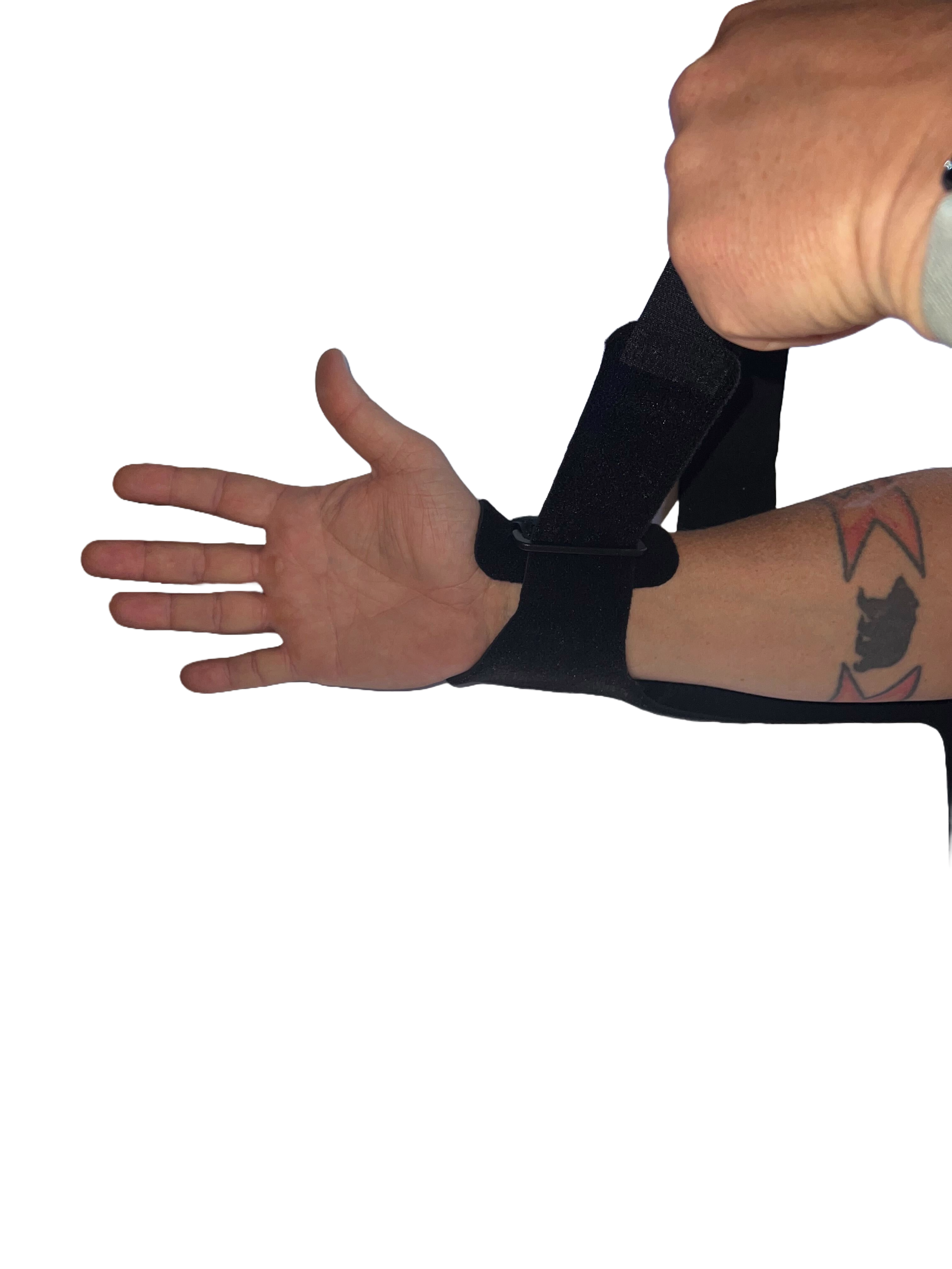
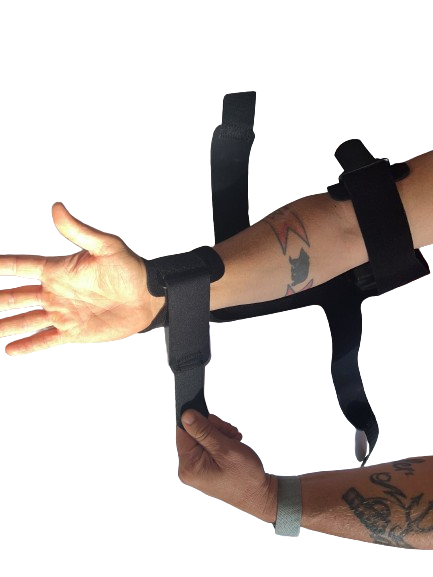
4. Next, do the same with the strap closest with your shoulder.
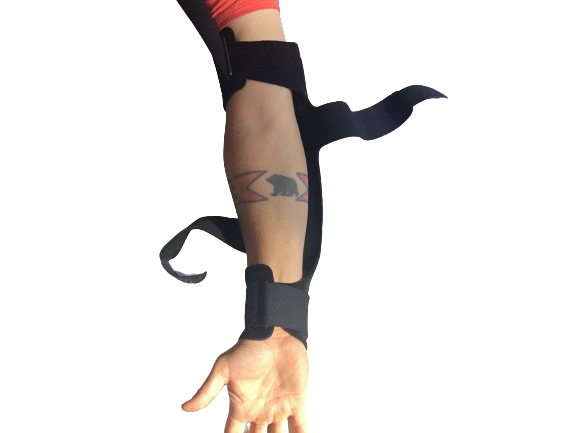
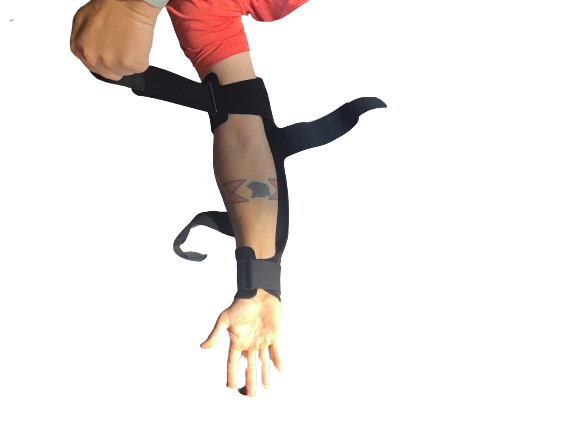
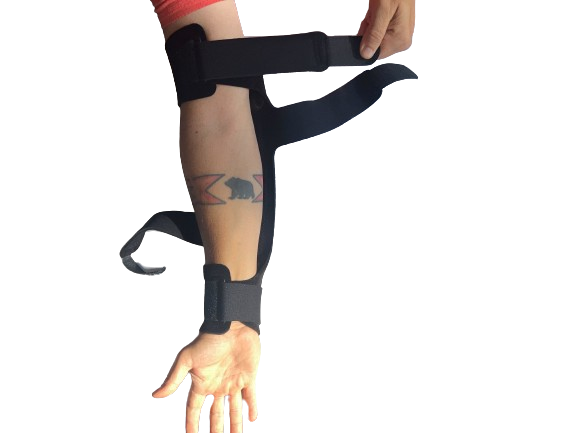
5. Following the top-most strap, then secure the second next-closest to your wrist.
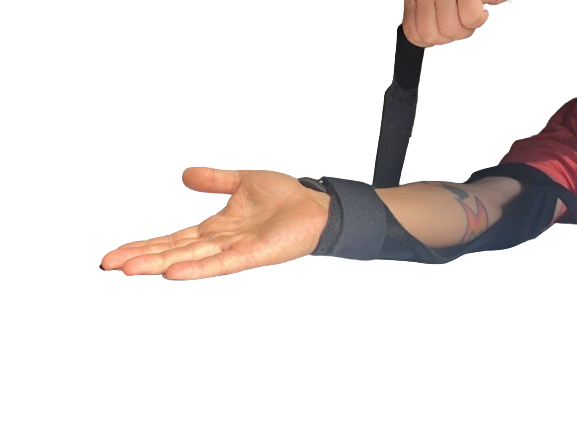
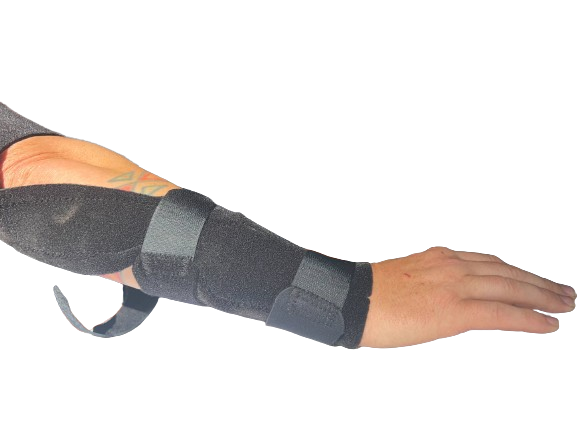
6. Finally, secure the last remaining strap.
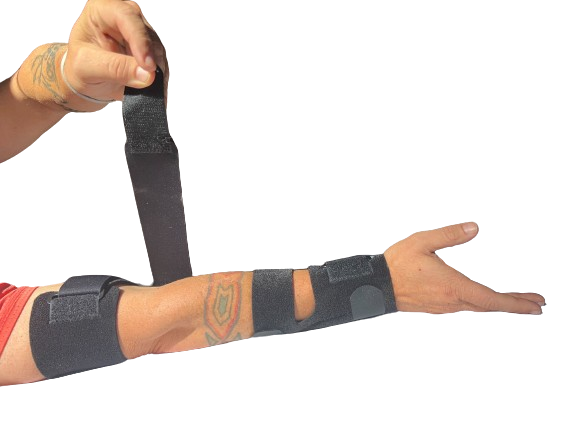
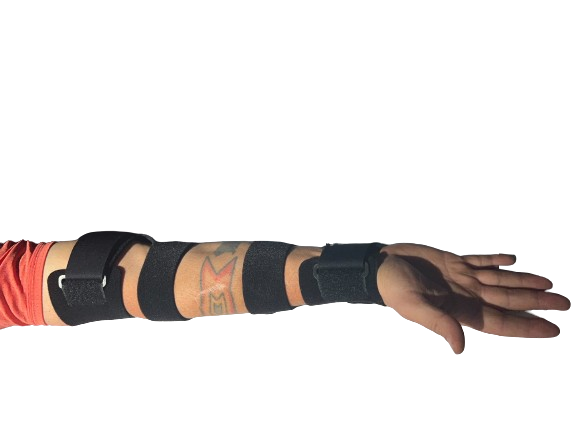
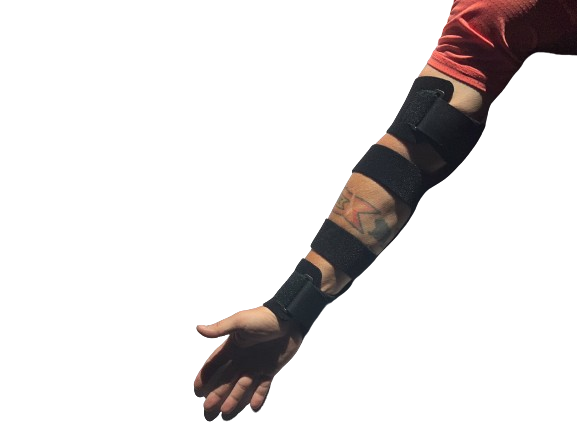
7. Ensure your Arm BioSleeve roughly matches the fit of that in the examples above. With this step complete, you’re ready to calibrate your BioSleeve!
Putting on your Leg BioSleeve
1. Sit down on a chair or couch.
2. Lay the sleeve next to you with the fuzzy side down, like so:
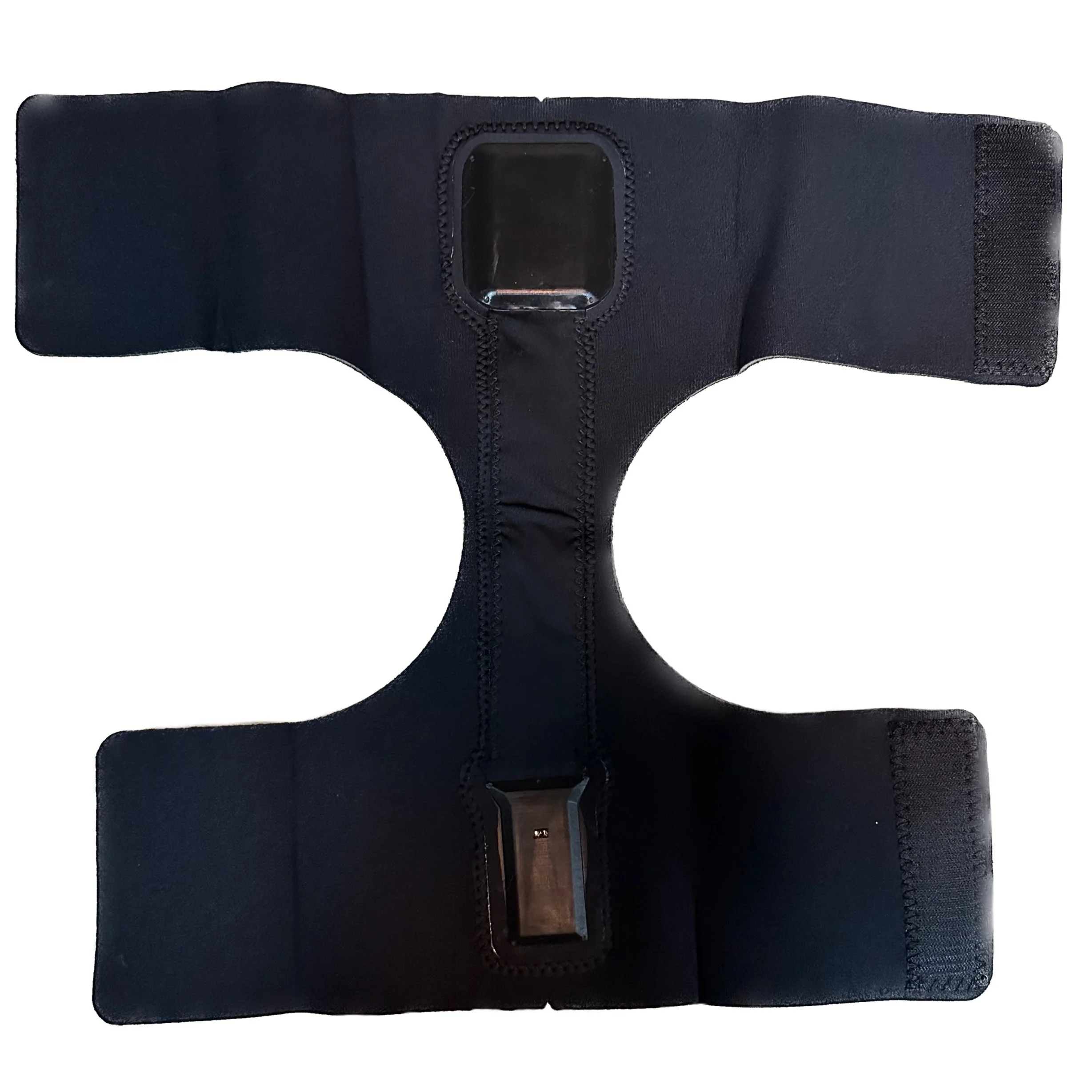
Leg BioSleeve with fuzzy side down
3. Pick up the sleeve and place the top sensor pack against the back of your thigh, as pictured here:
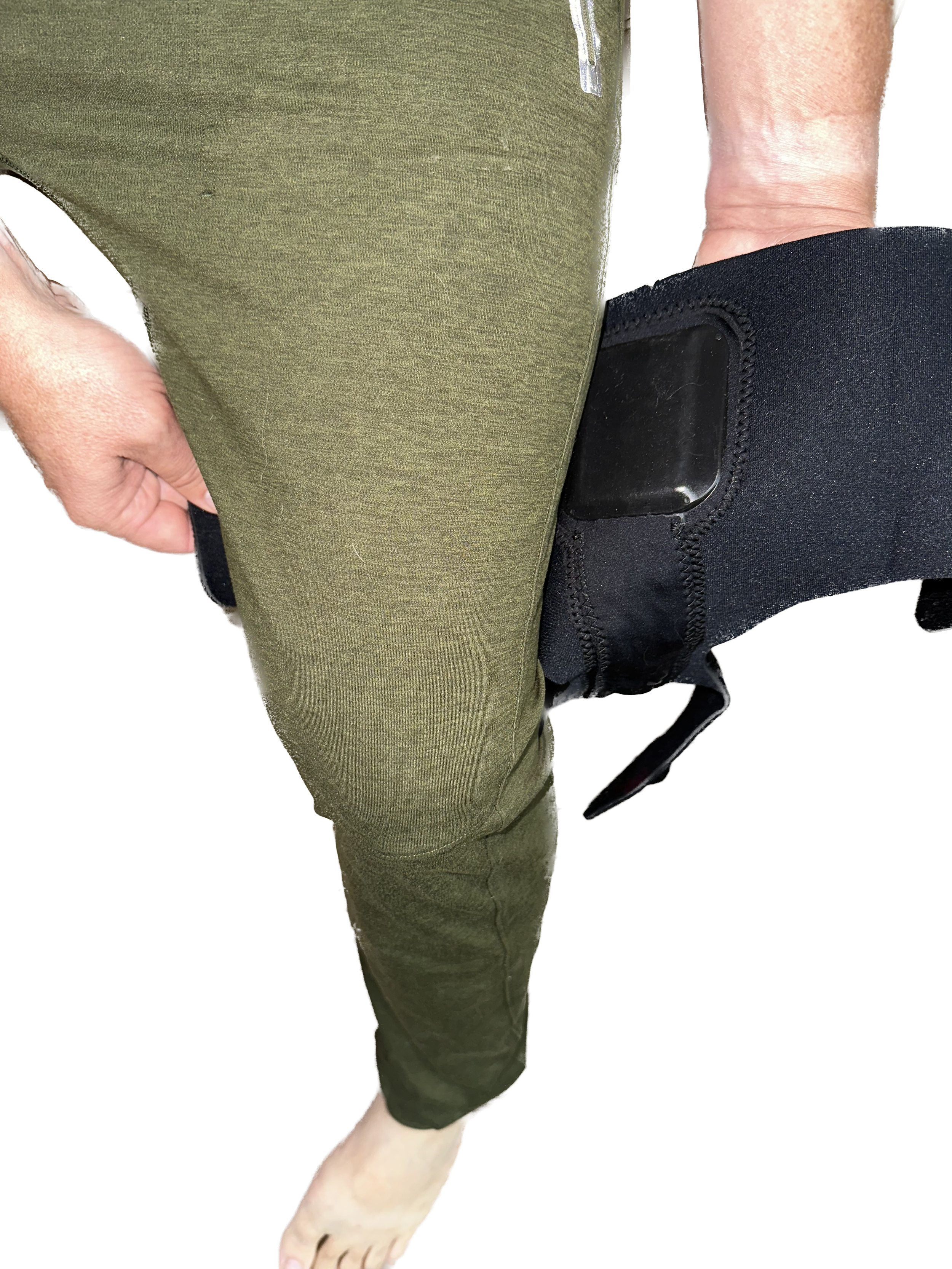
Leg BioSleeve correctly positioned underneath thigh
4. Holding the sleeve in place with the arm on the inside of your thigh, wrap the top strap of the sleeve over your thigh and Velcro it in place, as pictured here:
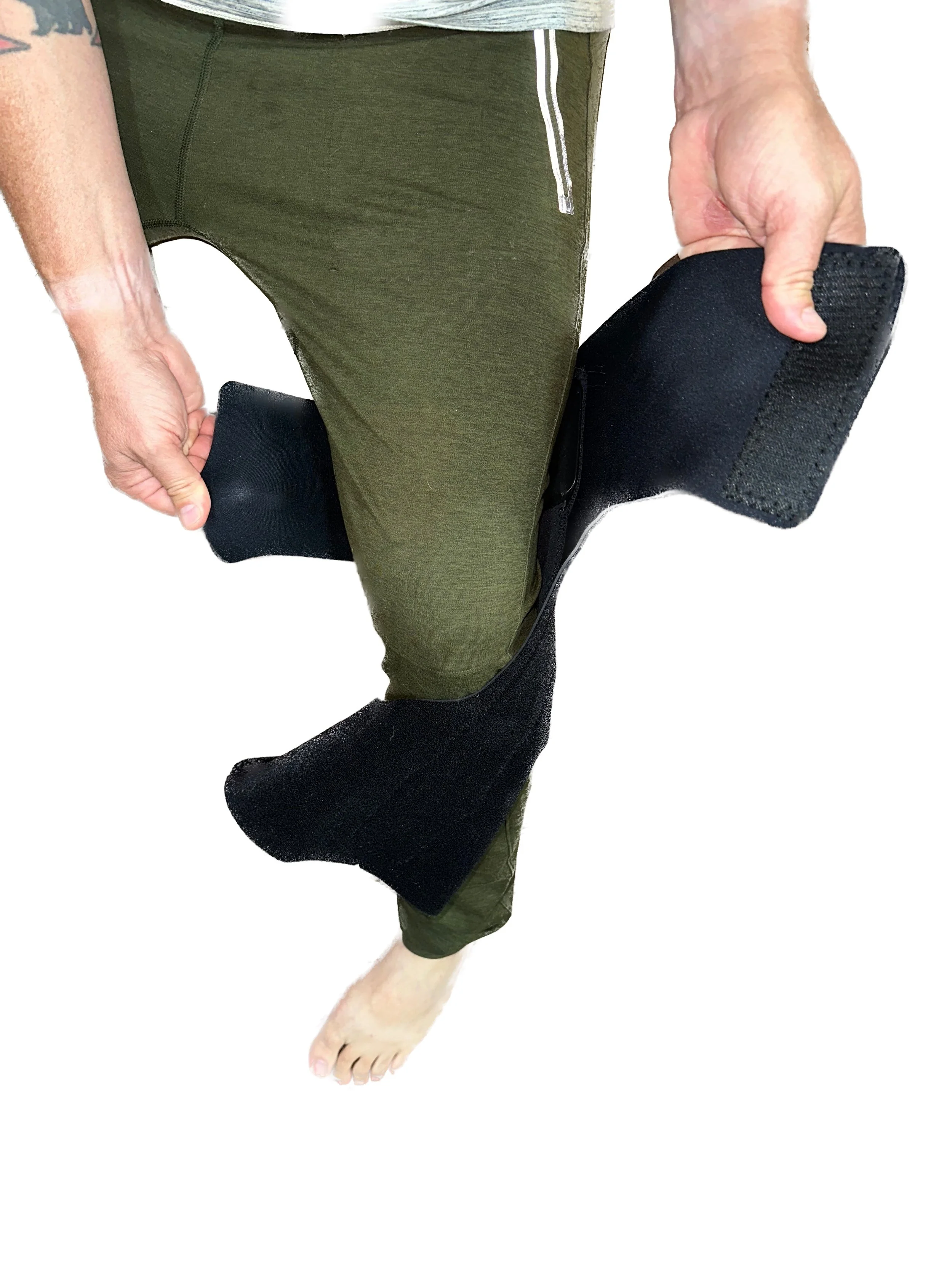
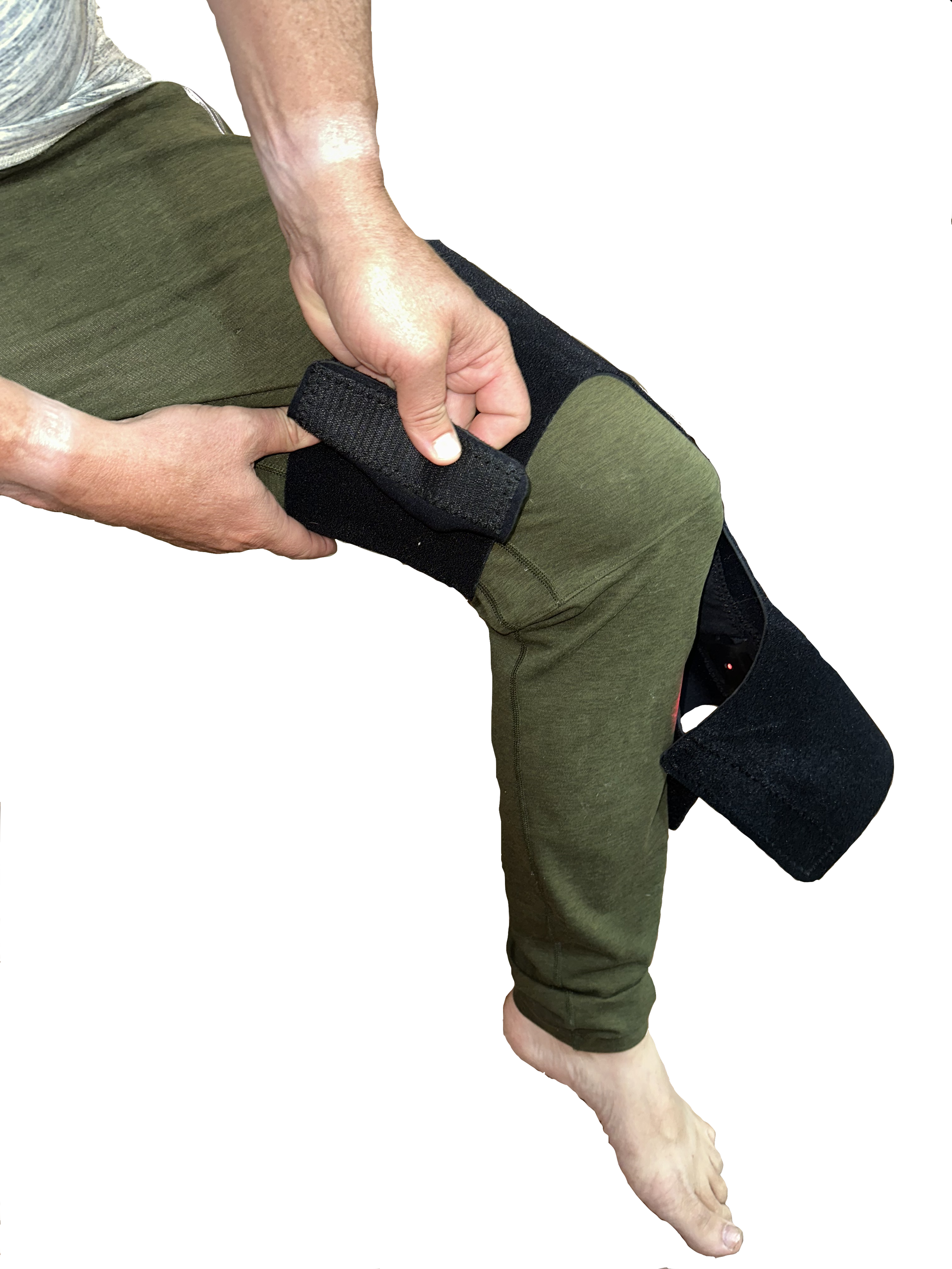
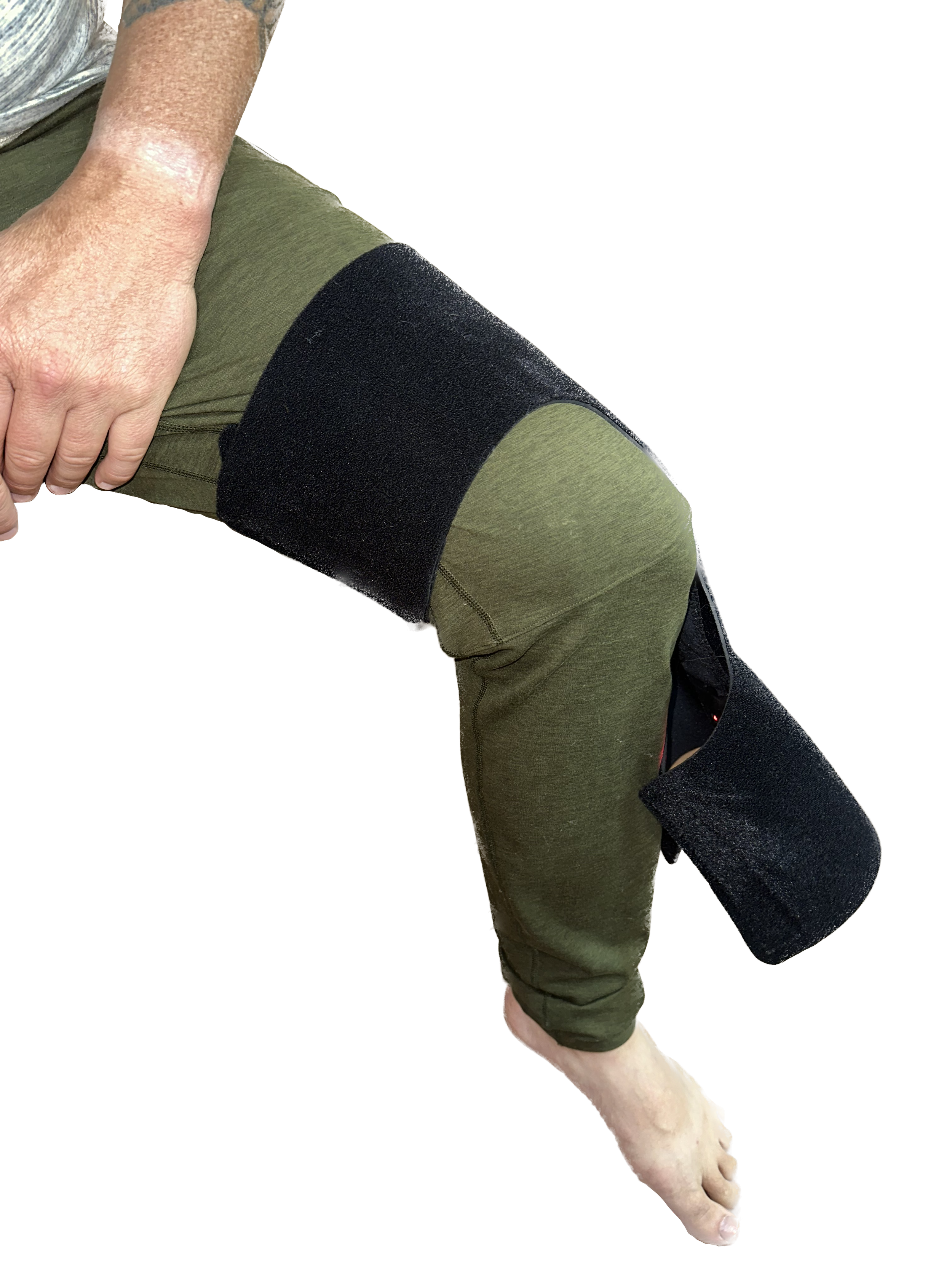
5. Repeat the previous step with the bottom strap of the sleeve:
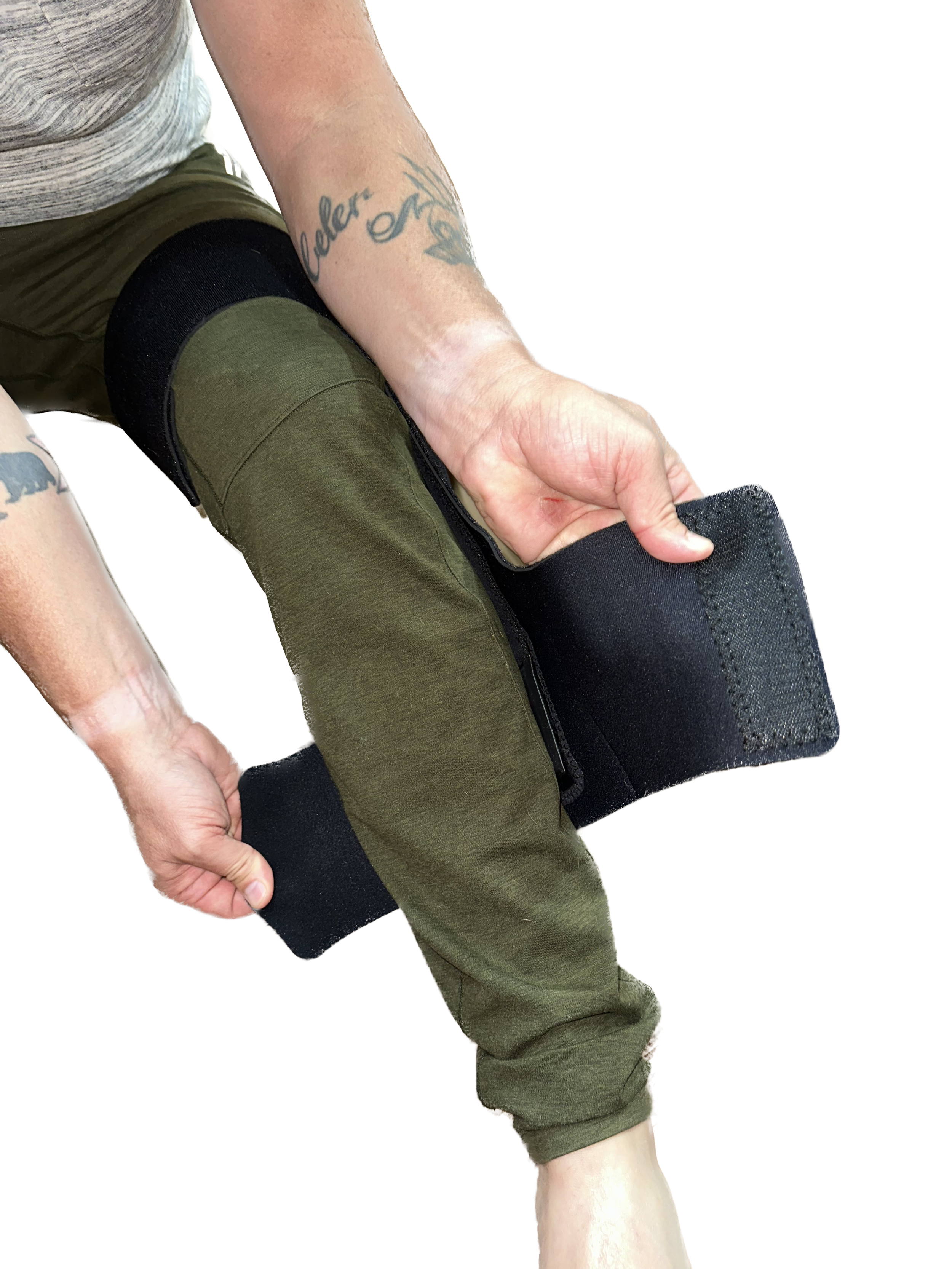
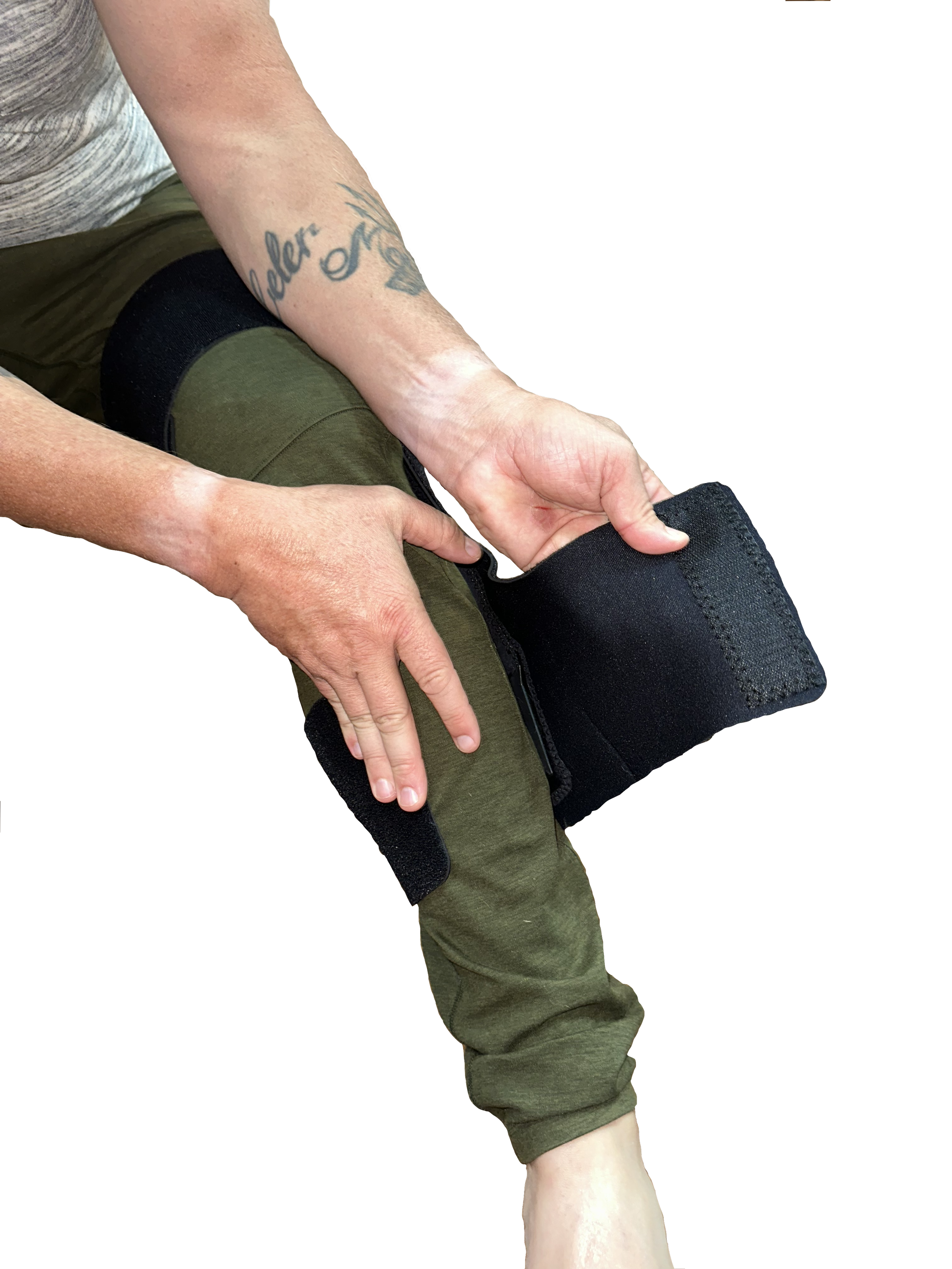
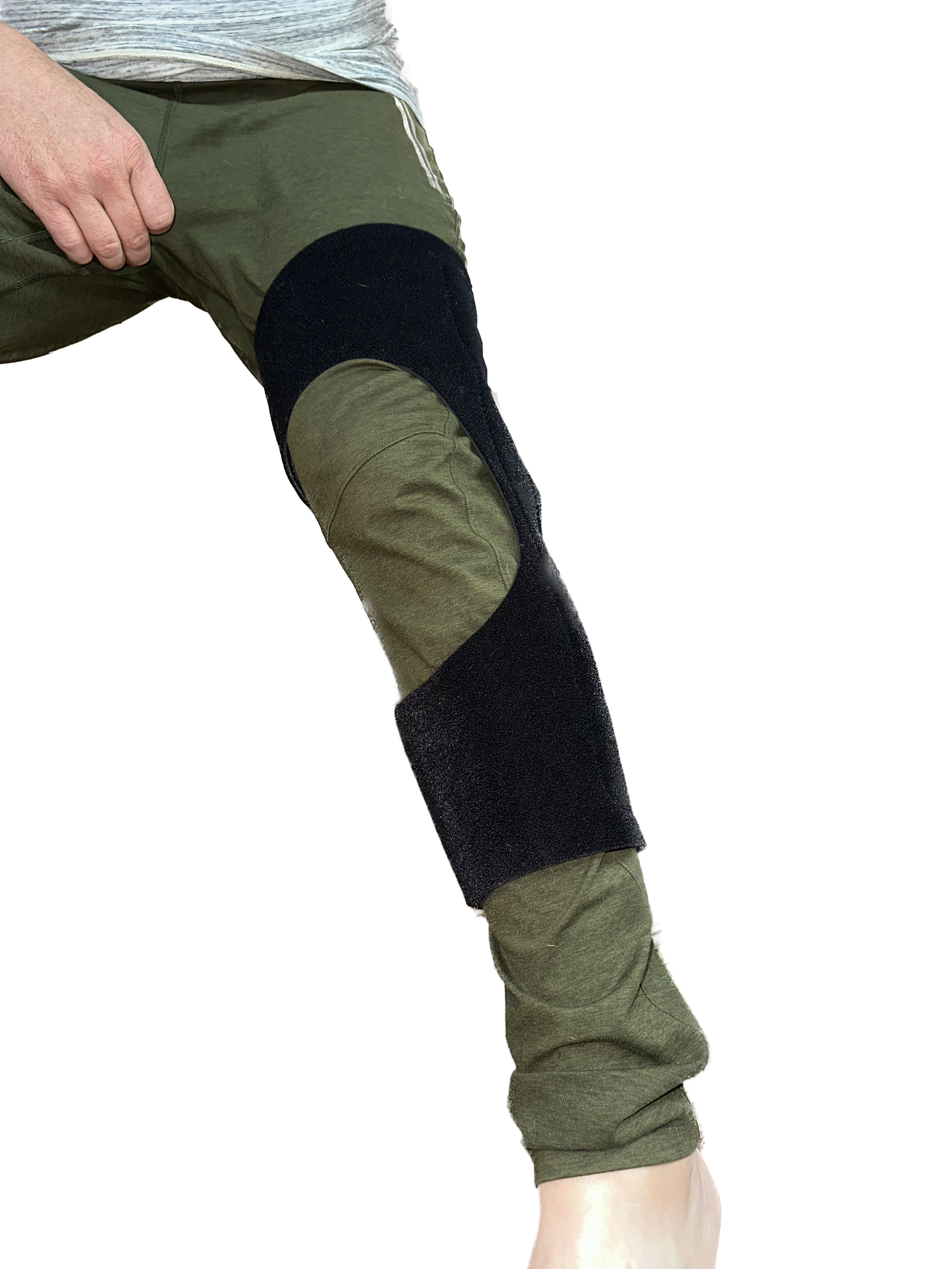
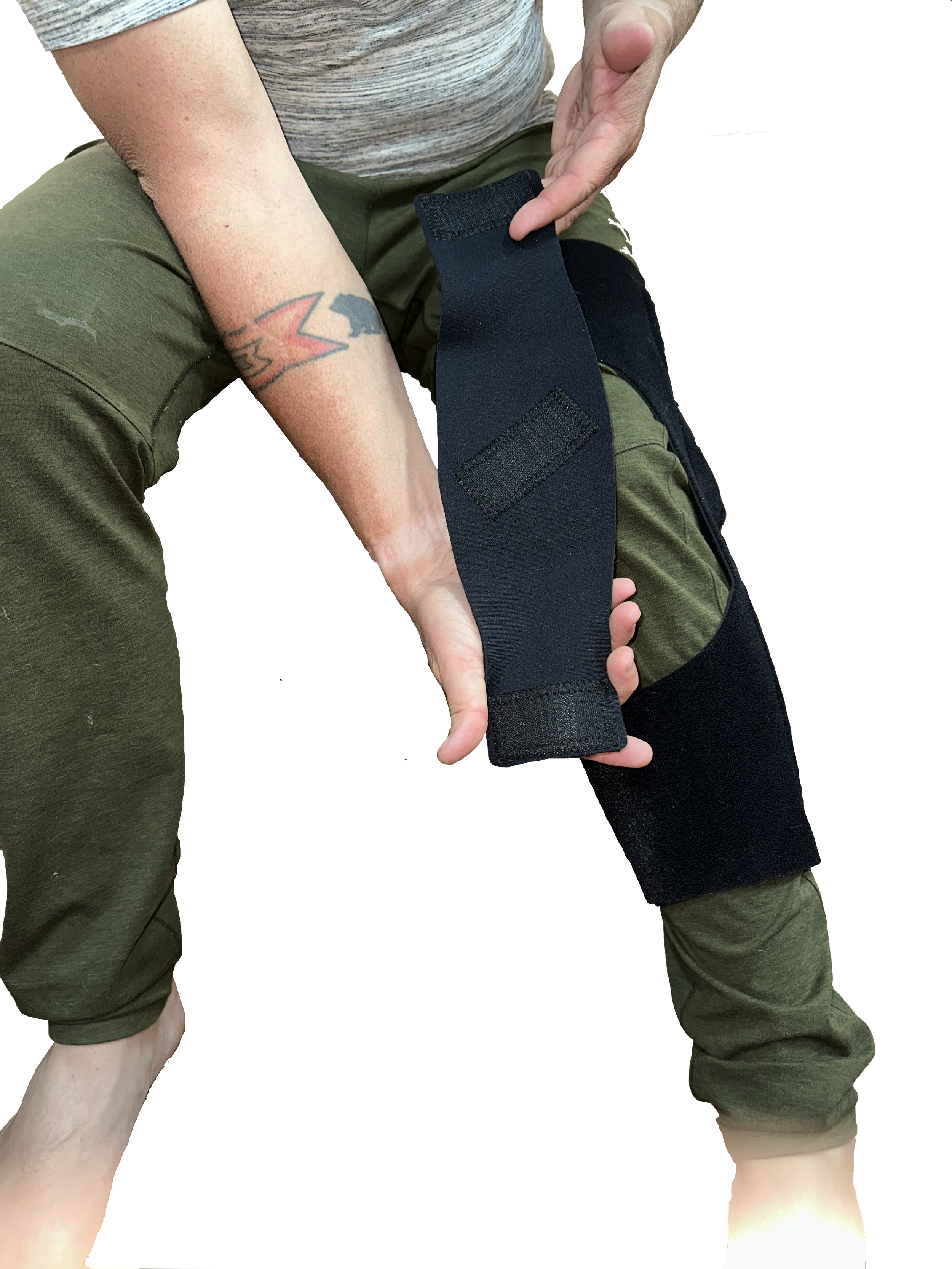
6. (Optional) For a more secure fit, apply the additional strap as follows:
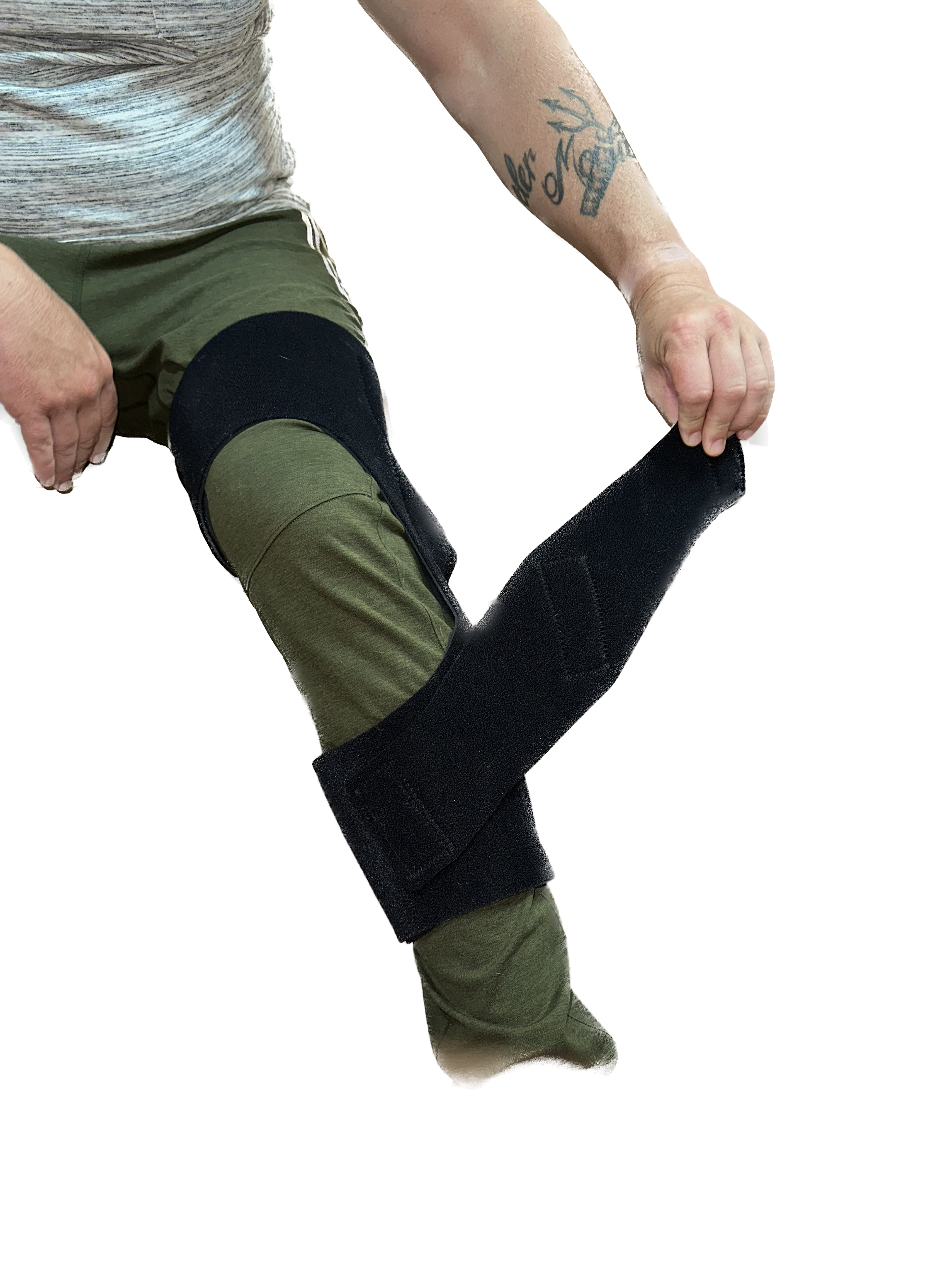
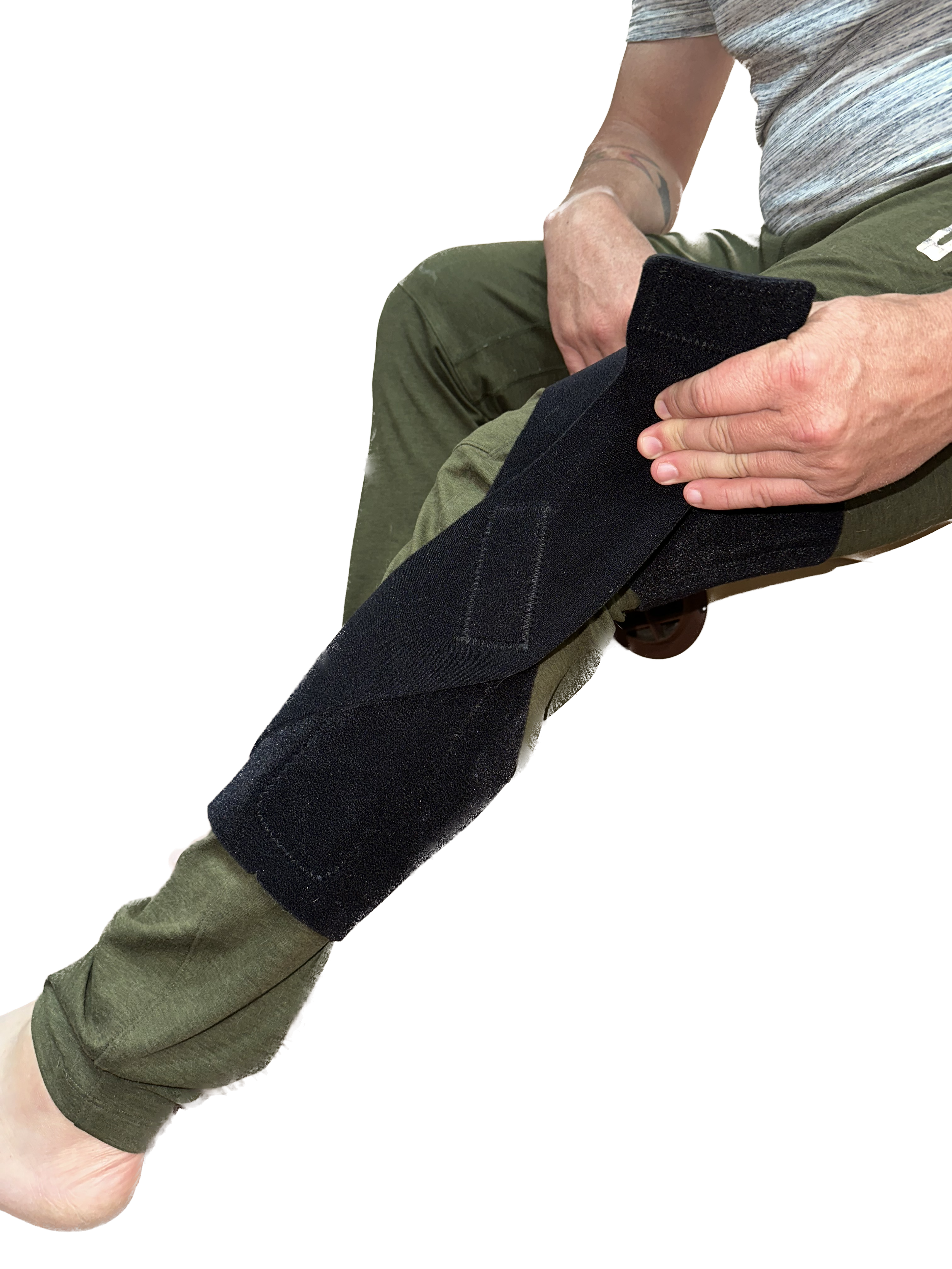
7. Ensure your Arm BioSleeve roughly matches the fit of that in the examples above. With this step complete, you’re ready to calibrate your BioSleeve!
Help Putting on your BioSleeve
For other issues or help putting on your sleeve, please email help@openmotion.ai and describe your issue in detail. We will respond to you within 24 business hours.